

Research & Testing
Create tests in minutes, get insights instantly. Build user tests with multiple task types, share a link, collect responses, and view AI-analyzed reports.
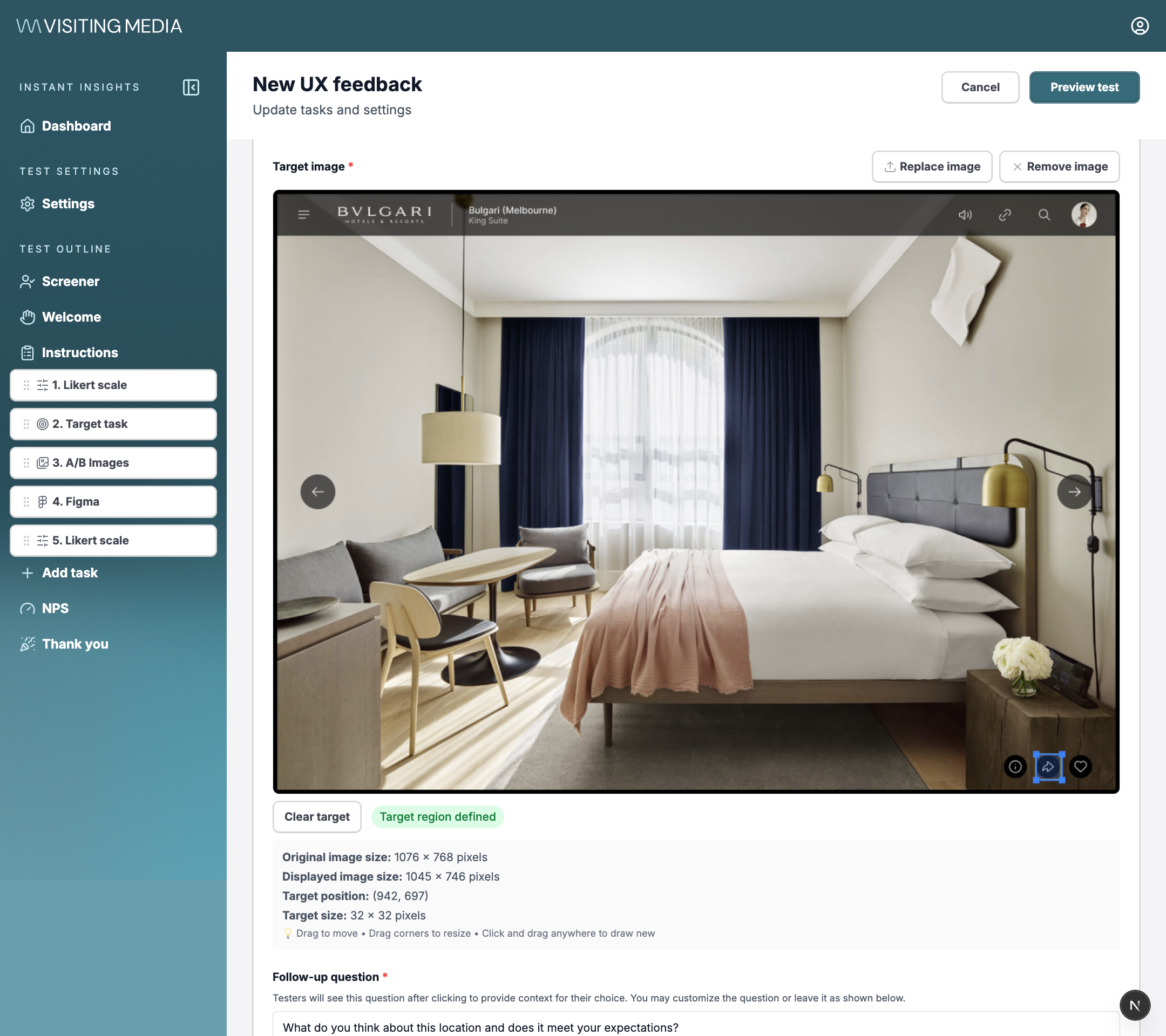
Build tests with drag-and-drop task types including target clicks, Likert scales, A/B comparisons, and Figma prototypes.
How it works
Build your test
Use the drag-and-drop builder to add task types: target clicks, Likert scales, NPS, A/B image comparisons, Figma prototype tests, and open-ended questions. Upload images, define target regions, and customize follow-up questions.
Share & collect
Preview your test, then share a link with testers. Responses are collected in real-time with click coordinates, timing data, ratings, and written feedback all captured automatically.
Review AI-analyzed reports
View results with click heatmaps, performance metrics, and AI-generated summaries. Key insights and recommendations are extracted automatically, with full tester data available for deep dives.
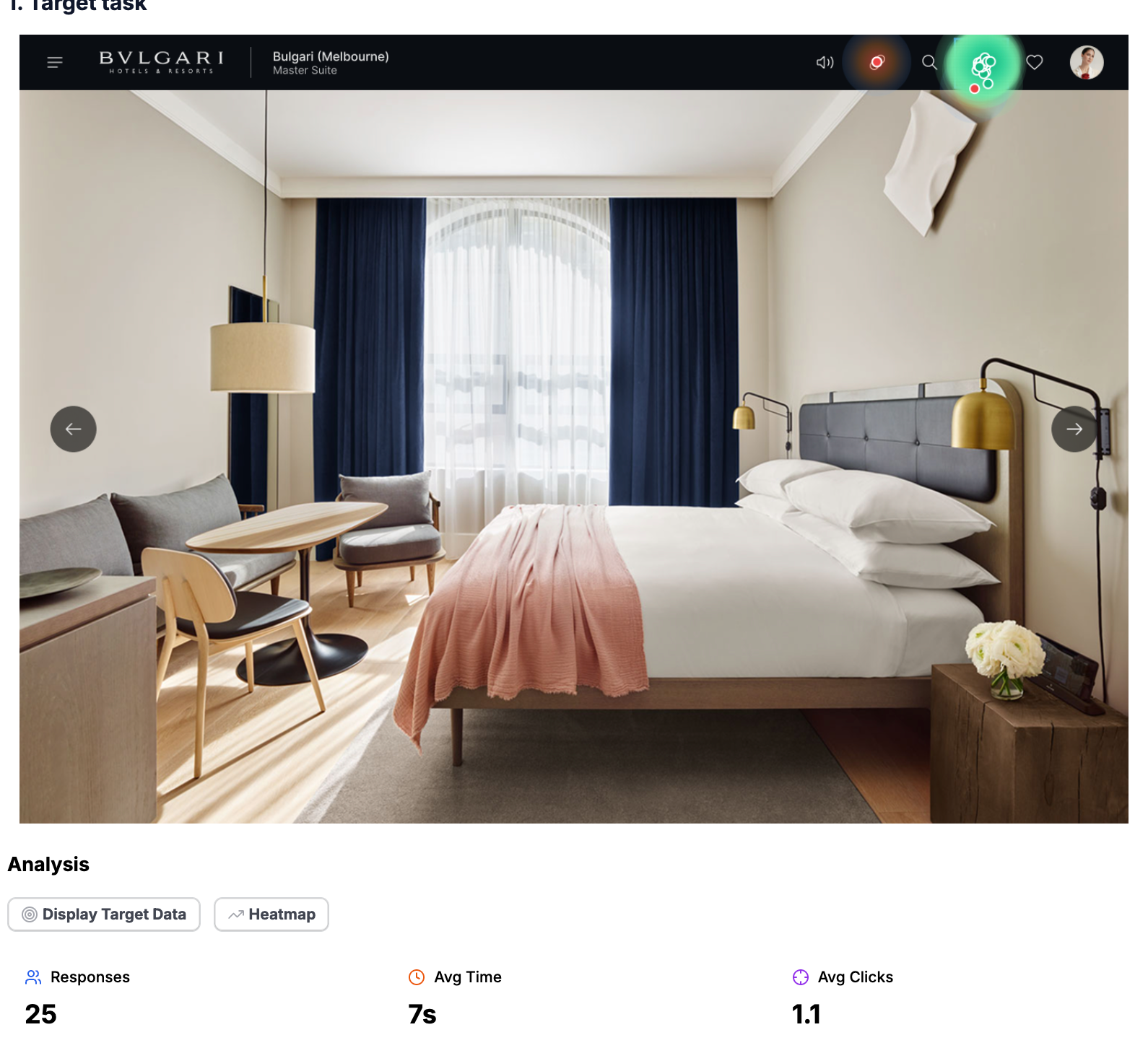
Target task results with click heatmaps, response counts, average time, and click precision metrics.
Task types
Target Task
Users click on an image to find a specific element. Generates heatmaps and click precision metrics.
Likert Scale
Rate agreement on a scale. Automatic scoring with visual breakdowns.
NPS
Net Promoter Score with automatic categorization into promoters, passives, and detractors.
A/B Images
Side-by-side image comparison. See which option users prefer and why.
Figma Prototype
Embed Figma prototypes directly. Track user interactions with live designs.
Open-ended
Free-text responses for qualitative feedback. AI categorizes themes automatically.
Ready to start testing?
Sign in to create your first research test and start collecting insights.
Get started